NuCorder, the remote music rehearsal app
NuCorder is a remote music rehearsal app for musicians who already play together.
It lets two musicians or a small group rehearse when distance, travel, scheduling, or an unavailable rehearsal space makes it difficult to meet in person. With NuCorder, musicians can set up their equipment, join a private room, and play together in real time.
Who is NuCorder for?
Your band is spread out
Keep rehearsing even if a member lives (or moves) to another city.
Your schedules are hard to coordinate
Make the most of a time when you’re all free, without adding travel time.
Your rehearsal space is unavailable
Keep rehearsing when you can’t meet at the studio or travel there.
You want to work between rehearsals
Prepare a song or continue working on something you started with your band in the studio.
How does a remote rehearsal work?
A NuCorder rehearsal takes four steps:
Check that your computer, internet connection, and audio interface are ready.
Create a private session and invite your partner or band.
Each musician joins the session from their own computer.
Once everyone is ready and can hear the others, you can start playing.
NuCorder uses audio processing designed for real-time music. Unlike video-conferencing tools such as Zoom, which prioritize speech, NuCorder aims to reduce the delay between musicians so they can play together remotely.
The results depend on several factors: the distance between participants, their internet connections, whether they use Ethernet, their computers and audio interfaces, and each musician’s settings.
Not sure how it all works? Don’t worry, we’ll guide you through your first session.
Here’s a demonstration of what it can sound like, with musicians connecting from Paris and London:
NuCorder demonstration: a real-time session between Paris and London.
Did you know? NuCorder is developed in France by a team of musicians and engineers specializing in audio and telecommunications.

What do you need?
- Recommended connection
- Fiber broadband with a wired Ethernet connection
- Supported systems
- Windows, Mac, and Linux
- Audio equipment
- A compatible audio interface and headphones
- App to install
- NucorderDesktop (free)
NuCorder works to reduce latency—the time it takes for sound to enter your audio interface, be processed, travel to the server and back, and finally come out through your headphones or speakers. You can adjust some factors in the software; others depend heavily on your equipment.
Ideal conditions: A fiber connection with wired Ethernet helps minimize network latency and avoid interference. A stable, fast DSL connection may work, but we can’t guarantee its quality. Wi-Fi may work in some cases, but it adds latency, and results can vary considerably depending on interference and your distance from the router.
Want to estimate your latency to our servers? Open the sign-up form on your computer. It displays an estimate for the servers currently available.
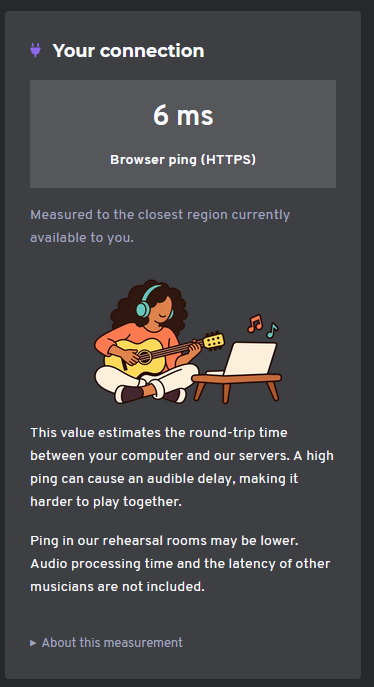
For audio equipment, we recommend wired headphones to keep latency low (Bluetooth headphones add latency) and, ideally, an external audio interface.
What about my smartphone?
The real-time audio app isn’t available on smartphones; you’ll need a computer to use it. You can still use the social features in the web app.
Does NuCorder replace studio rehearsals?
Not necessarily. Some bands use NuCorder to avoid travel; others use it between studio rehearsals to work on a song, keep rehearsing when someone can’t make it, or make use of a short time slot.
NuCorder is a complementary tool. Each band can decide how it fits into their routine. François Caste —one of NuCorder’s founders— runs a studio in Belleville himself, so replacing studios isn’t in our interest. 😉
How do I get started?
Create a NuCorder account in just a few minutes, then follow the getting-started guide. You’ll need a computer to install the software.
You can then install and configure the software and create your first free test session, on your own or with another musician.
Still need a hand?
Our team is happy to help.