Low latency music collaboration, built around your band
Playing together over a video call becomes difficult when you hear the other musicians’ notes too late to stay in time. NuCorder combines dedicated low latency music audio with video, so you can hear each other play and see your bandmates during the rehearsal.
Try NuCorder for free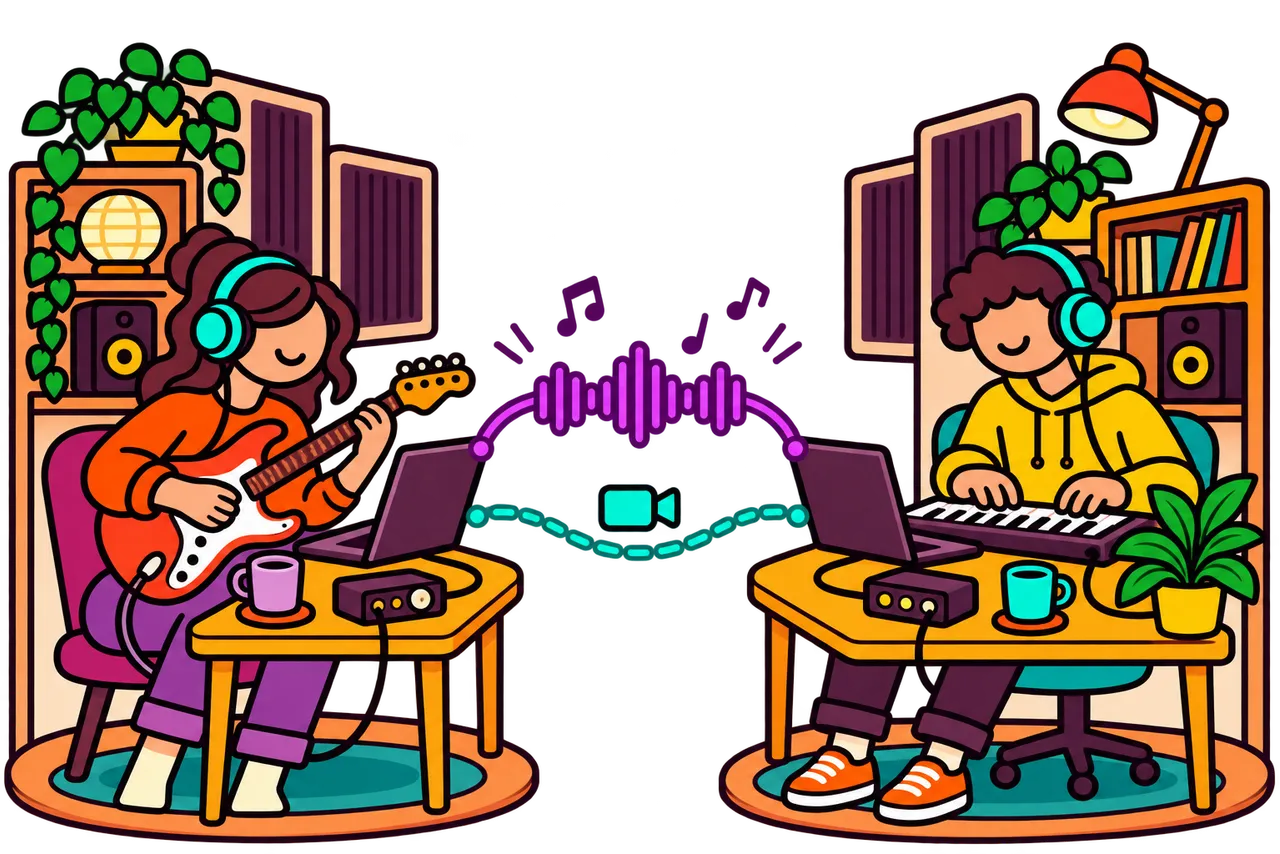
Why latency matters when you play together
Latency is the delay between a musician playing a note and someone else hearing it. A bass player following a drummer, for example, adjusts their playing to the drum hits they hear. If those hits arrive too late, the bass player can fall behind the drummer even though they feel they are following the beat.
That delay builds up along the sound’s journey, from your audio interface to the other musician’s equipment, through the computers, network and server in between. A high download speed therefore does not tell you whether playing together will feel comfortable: it describes how much data your connection can carry, rather than how quickly a note reaches another musician.
Low latency video conferencing for musicians: start with the audio
NuCorder sends music and video through two separate streams. Your instruments and microphones use the audio client, a program installed on your computer that transmits sound at low latency. Video travels through a separate stream with the delay you would expect from a normal video call, so you can see your bandmates in the rehearsal room.
Keeping these streams separate allows the music audio to travel without waiting for the video, although the picture may then arrive after the sound. To stay in time, follow what you hear from the other musicians rather than their movements on screen.
Can you use Zoom to play music together?
A familiar video call may be enough to discuss an arrangement or take turns demonstrating a musical phrase, because those exchanges leave room for pauses. Playing a chorus together requires everyone to hear the others with little enough delay to keep a shared rhythm.
Zoom offers Original sound for musicians to preserve instrument sound, as well as Live performance audio to reduce delay. Every participant needs to enable the latter and use compatible equipment, while the quality of their connections also affects the result. See Zoom’s audio requirements and music settings
| Your session | A general video call | NuCorder |
|---|---|---|
| Discuss a song or take turns playing | A standard video call may be enough for these exchanges. | Talk and play in the same rehearsal room. |
| Play together at the same time | Check which music modes are available and test the delay with everyone taking part. | Use dedicated music audio with settings you can adjust for your equipment and network. |
| Adjust the balance between musicians | Check whether you can adjust each musician’s volume separately. | Set each musician’s level in your own personal mix. |
This table describes how the tools can be used, without drawing on comparative latency measurements. With Zoom as with NuCorder, testing with your own equipment and the other musicians’ connections is necessary to judge how comfortable it feels to play together.
An online rehearsal room for live music collaboration
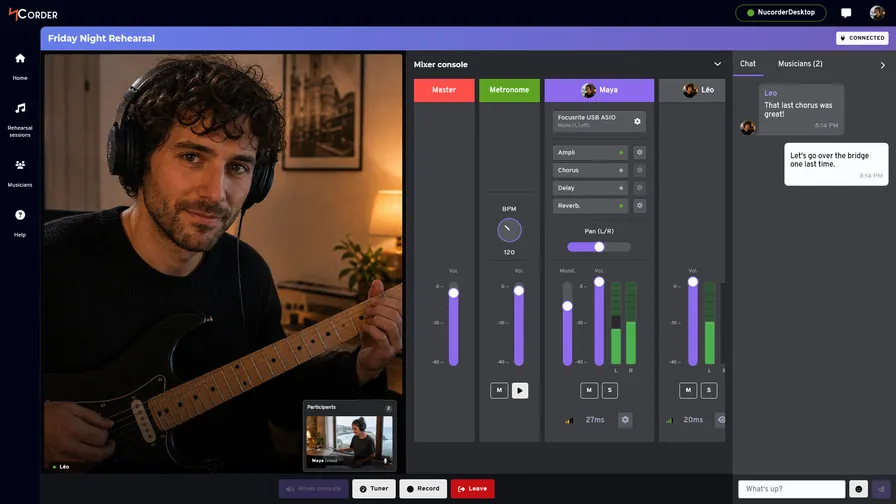
Once you have set the levels, the rehearsal room gives you a place to work through songs with the other musicians. You can practise an entry after a break, try a different bass line or check how a transition sounds when the whole band plays it.
Set the balance you need
If the guitar is covering the vocals in your headphones, you can adjust each musician’s volume in your own mix, meaning the blend of sounds you hear. These changes do not affect what the other musicians hear.
Work on the song together
You can rehearse a transition, compare two arrangements or practise a passage with the metronome, while listening to how your part fits with the rest of the band.
Listen back afterwards
Local recording saves the mix you hear during the rehearsal, so you can listen back to the passages that need more work. For editing and mixing individual tracks, you will need music production software.
Prepare for your first online rehearsal
Each musician needs a computer, an instrument or microphone, a suitable audio interface and wired headphones. Before joining the rehearsal, install the NuCorder audio client and check that it receives sound from your instrument or microphone and plays audio through your headphones.
- A stable fibre connection is recommended; connect your computer to the network with an Ethernet cable where possible, and pause downloads during the session.
- Distance and the route your audio takes across the network add delay, which can make it difficult to play in time over an intercontinental connection. Test with the musicians who will take part in the rehearsal.
- Take a few minutes to set the levels, then play a simple rhythm together to check that you can stay in time with each other before planning a full session.
Questions about low latency music collaboration
Can we play online with zero latency?
Processing sound and sending it across a network always takes time, so playing online with zero latency is not possible. NuCorder aims to reduce that delay, but your equipment, connection and distance from the server also affect the result. A test with the musicians you want to rehearse with will help you judge whether you can play comfortably together.
Does NuCorder work as a browser-only video call?
You join the rehearsal room through the web app, but each musician also needs to install the NuCorder audio client on their computer. Once the audio equipment is configured, this program transmits the sound from your instruments and microphones at low latency.
Can we test our connection before subscribing?
Your first discovery session is free and has no time limit, whether you play alone or with one other musician, giving you time to check your setup. After that, the Free plan lets you host private sessions of up to 30 minutes and join open sessions without a time limit. The pricing page explains what each plan includes.
Try an online rehearsal with your band
To find out whether remote rehearsals suit your band, choose a song you all know and take time to set the levels together. Playing for a few minutes with your own equipment will help you check whether you can hear each other clearly and with little enough delay to work on your songs.